Splunk SPL Queries Every Threat Hunter Needs
Practical SPL query patterns for common threat hunting scenarios in Splunk beaconing, lateral movement, and process anomalies.
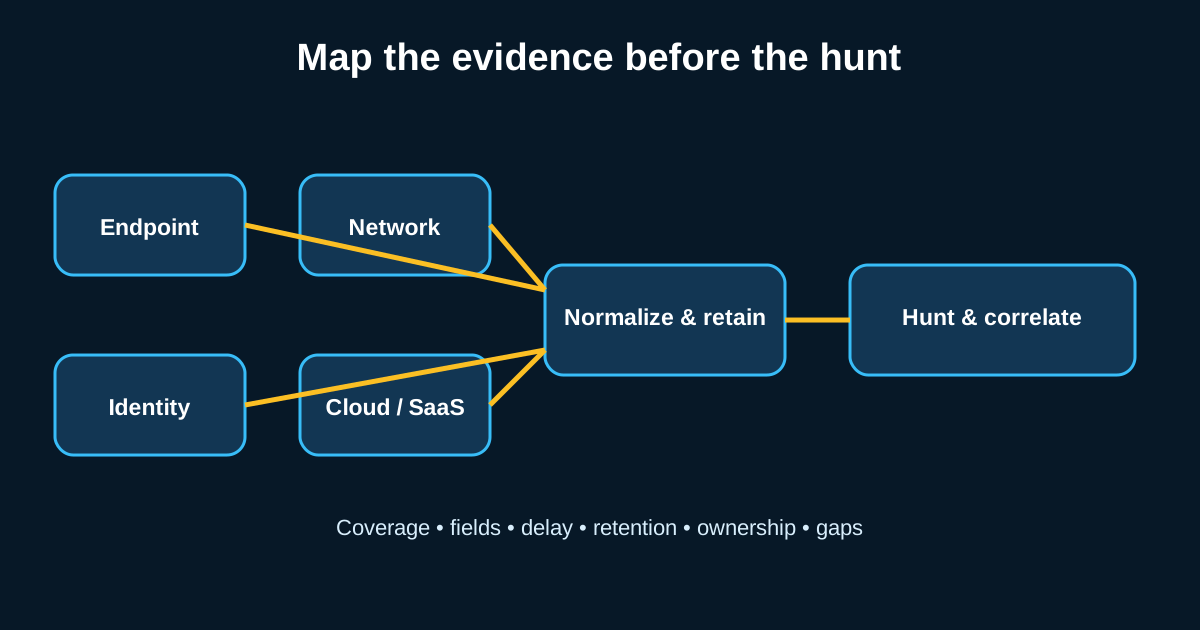
Ask ten Splunk admins to write a query for “suspicious PowerShell” and you’ll get ten different answers, most of them wrong in some subtle way—too broad, too narrow, or built against a field name that doesn’t exist in their actual sourcetype. SPL is a genuinely powerful language for hunting, but it punishes sloppy thinking more than people expect. A query that looks reasonable can silently return nothing useful if you’ve got the wrong index, the wrong time range, or a field extraction that doesn’t match your data source.
I’ve built hunt queries in Splunk for years now, across environments ranging from a few hundred hosts to enterprise deployments ingesting terabytes a day. The patterns that actually hold up across environments are fewer than you’d think.
Stats and eventstats are where your analysis actually happens
Most beginner SPL queries stop at search and a few pipes of filtering. That gets you a list of events, not analysis. The real hunting value comes from stats and eventstats, because that’s where you turn raw events into behavioral baselines you can compare against.
| Take beaconing detection as an example. A raw search for outbound connections gets you a firehose. Adding | stats count, values(dest_port) as ports, avg(eval(_time - lag(_time))) as avg_interval by src_ip, dest_ip turns that into per-pair connection statistics you can actually reason about. Layer in a standard deviation calculation across the interval field, and you’ve got a rough beaconing score without needing a dedicated app. Say you run this against a week of proxy logs from a 1,500-host environment—you’ll typically get back a few dozen src/dest pairs with suspiciously low interval variance, and from there it’s a manageable investigation list instead of millions of raw rows. |
Subsearches are powerful but they’ll wreck your search performance if you’re not careful
A common pattern: use a subsearch to pull a list of known-bad IOCs, then filter your main search against that list. This works, and it’s genuinely useful for combining threat intel with behavioral data. But subsearches have a default result limit (10,000 by default, though it’s configurable) and a runtime cap, and if your subsearch returns more results than that limit, it gets silently truncated—no error, just incomplete results. I’ve seen hunt queries that looked correct for months quietly missing data because someone’s IOC list grew past the subsearch limit and nobody noticed.
The safer pattern for anything with a large lookup set is using a lookup command against a properly built CSV or KV store lookup table instead of a live subsearch. It’s faster, and it doesn’t have the same silent-truncation risk.
Building a lateral movement hunt with transaction and streamstats
Lateral movement detection benefits enormously from sequence-aware analysis, which is exactly what transaction and streamstats give you that a flat stats command doesn’t. A hunt hypothesis like “an account authenticating to more than five distinct hosts within a fifteen-minute window” is a streamstats problem: streamstats dc(dest_host) as host_count window=15 by user, time_window=15m, then filtering for host_count above your threshold.
Tune that threshold to your environment rather than trusting a number from a blog post—mine, included. A domain admin account legitimately touching eight servers in fifteen minutes during a patch deployment is normal Tuesday-night behavior for some environments and a five-alarm fire in others. Pull two weeks of your own authentication data first, look at what your top percentile of legitimate multi-host activity actually looks like, and set your threshold above that baseline rather than guessing.
Data model acceleration matters more than most hunt guides mention
If you’re running ad hoc SPL against raw indexed data for every hunt, you’re going to have a bad time at scale. Splunk’s data models, particularly the Common Information Model’s Authentication, Network Traffic, and Endpoint models, let you build accelerated summaries that make repeated hunting dramatically faster—a query that takes four minutes against raw data might run in eight seconds against an accelerated data model covering the same time range.
The catch: data model acceleration needs to actually be enabled and properly mapped to your sourcetypes, which is a setup task a lot of environments skip because it’s not obviously “hunting work.” It is, though—every minute your query spends scanning raw data instead of an accelerated summary is a minute you’re not spending on actual analysis.
Saved searches and scheduled hunts versus true ad hoc investigation
There’s a meaningful difference between a scheduled search that runs daily looking for a known pattern (that’s a detection, really, dressed up as a hunt) and genuine ad hoc hunting where you’re exploring a fresh hypothesis against data you haven’t queried that way before. Both matter, but conflating them is a mistake I see often—teams call their scheduled correlation searches “threat hunting” when what they’re actually doing is running the same rule every day and calling any hit an “investigation.”
Real hunting means writing new SPL against a new hypothesis regularly, not just monitoring the output of queries someone else wrote a year ago. Keep both in your program, but know which one you’re doing at any given moment.