PowerShell Logging for Threat Hunters
Master ScriptBlock, module, and transcription logging in PowerShell to hunt fileless attacks and obfuscated scripts effectively.
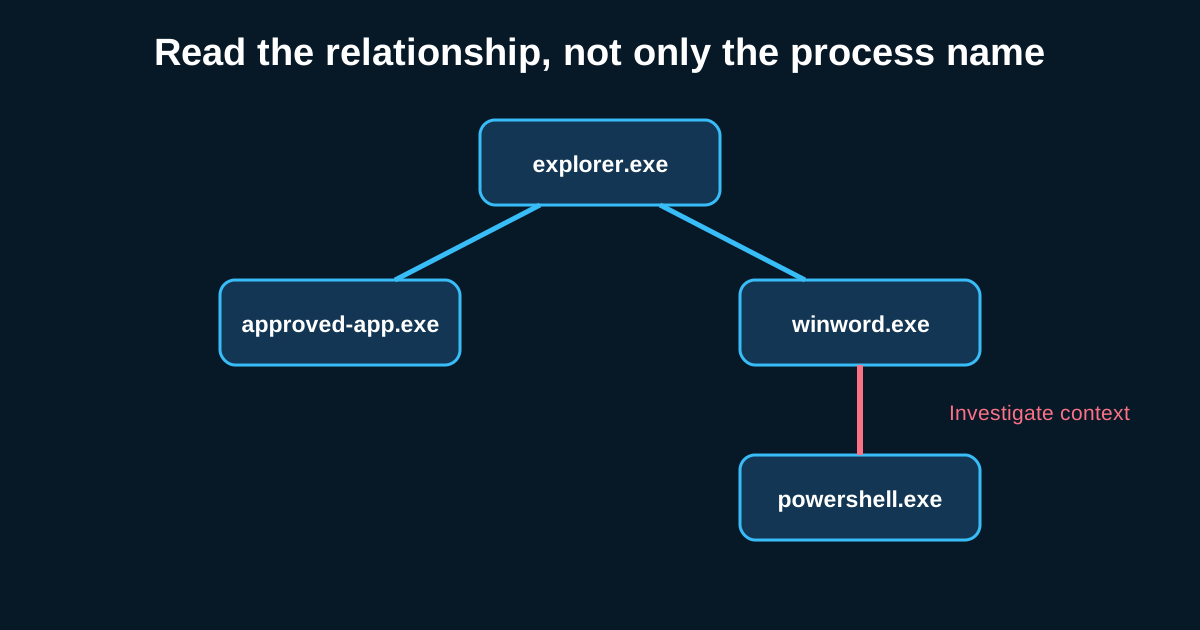
PowerShell is still the single most abused legitimate tool in a modern intrusion, and it’s not close. It’s on every Windows box by default, it’s trusted by users and admins alike, and it can do almost anything an attacker needs—download payloads, dump credentials, move laterally, disable defenses—without ever touching disk if the operator’s careful. If your PowerShell logging isn’t configured properly, you’re hunting with one eye closed against the tool attackers reach for most.
The frustrating part is that PowerShell logging isn’t one setting. It’s three separate mechanisms, each capturing something different, and a lot of environments enable one and assume they’re covered.
ScriptBlock logging: the one that actually defeats obfuscation
ScriptBlock logging (Event ID 4104) is the most valuable of the three because it logs the de-obfuscated script content as PowerShell’s engine actually parses and executes it—not the raw command line, which attackers can wrap in base64 encoding or string concatenation tricks specifically to defeat simpler logging. This is huge. A command line showing powershell.exe -enc
Enable this through Group Policy under Administrative Templates > Windows Components > Windows PowerShell > Turn on PowerShell Script Block Logging, and make sure you’re also capturing “Log script block invocation start/stop events” if you want start-of-execution granularity, not just the content.
One thing worth flagging for your own hunting: ScriptBlock logs longer than roughly 20KB get split across multiple events sharing a ScriptBlock ID field. If your SIEM parsing doesn’t stitch these back together, you’ll see fragments of a script rather than the whole thing, which makes investigation painful. Say an attacker’s obfuscated download-and-execute script comes in at 35KB—that’s three or four separate log entries you need to reassemble in sequence before the investigation actually makes sense.
Module logging: useful, but expect a lot of legitimate volume
Module logging (Event ID 4103) records pipeline execution details for each PowerShell module loaded, which gives you visibility into which cmdlets actually ran, including ones from third-party or built-in modules like ActiveDirectory or NetTCPIP. This is genuinely useful for building hunt queries around specific abused cmdlets—Invoke-Mimikatz-style function calls, or legitimate AD module cmdlets like Get-ADUser being used for reconnaissance at unusual volume.
The tradeoff is volume and noise. Every module-backed cmdlet execution generates an event, and in an environment where admins genuinely use PowerShell all day for legitimate work, this can generate a lot of log volume fast. I’d treat module logging as a secondary, targeted data source—turn to it when you already have a hypothesis about specific cmdlet abuse from ScriptBlock logs or another lead, rather than trying to hunt broadly across raw module logs from day one.
Transcription logging: your fallback and your audit trail
Transcript logging writes a full text record of every PowerShell session—input and output—to a file on disk, configured via Group Policy to a specified directory. Unlike the other two, this isn’t event-log based; it’s flat text files, one per session, which makes it slightly awkward to centralize and search compared to Windows Event Log-based sources, but genuinely valuable as a complete record when you need to reconstruct exactly what an operator (attacker or legitimate admin) saw and typed during a specific session.
Say you’re investigating a compromised admin account and need to know not just what commands ran, but what output came back—did a Get-ADUser query actually return results, did a network scan find live hosts. Transcription logs give you that full back-and-forth in a way that ScriptBlock logging, which focuses on the commands themselves, doesn’t capture as completely.
The operational catch: these files need protection too. If an attacker has local admin, they can potentially find and delete transcript files sitting on local disk. Configure transcription output to a network share or centralized location the attacker’s compromised account can’t easily reach or clean up, if you want this to survive as forensic evidence rather than just a nice-to-have that gets wiped along with everything else.
Constrained Language Mode changes what you should expect to see
Worth mentioning because it directly affects what your logs will show: if you’re running PowerShell in Constrained Language Mode (tied to Device Guard/WDAC policies), a lot of the more dangerous PowerShell capabilities—direct .NET method invocation, COM object creation—get blocked outright, which pushes attackers toward alternative execution methods entirely. If you deploy Constrained Language Mode broadly and then see a sudden PowerShell process attempting blocked operations and failing repeatedly, that failure pattern itself is worth hunting for—it often means an attacker’s tooling wasn’t built with your environment’s restrictions in mind, and the failed attempts are a signal an unconstrained approach would never have generated.
Building queries that use all three logging sources together
The strongest PowerShell hunt queries don’t rely on just one of these three sources. Start with ScriptBlock logs to catch the actual executed content regardless of obfuscation, use module logs to confirm which specific cmdlets or functions got invoked when you need that granularity, and lean on transcription logs when you need full session context including output, not just input. Treating these as three views into the same activity, rather than three separate and redundant logging mechanisms, is what makes PowerShell hunting actually effective instead of just partially effective.