Microsoft Defender XDR Advanced Hunting with KQL
Master Microsoft Defender XDR's Advanced Hunting tables and KQL queries across endpoint, identity, email, and cloud data.
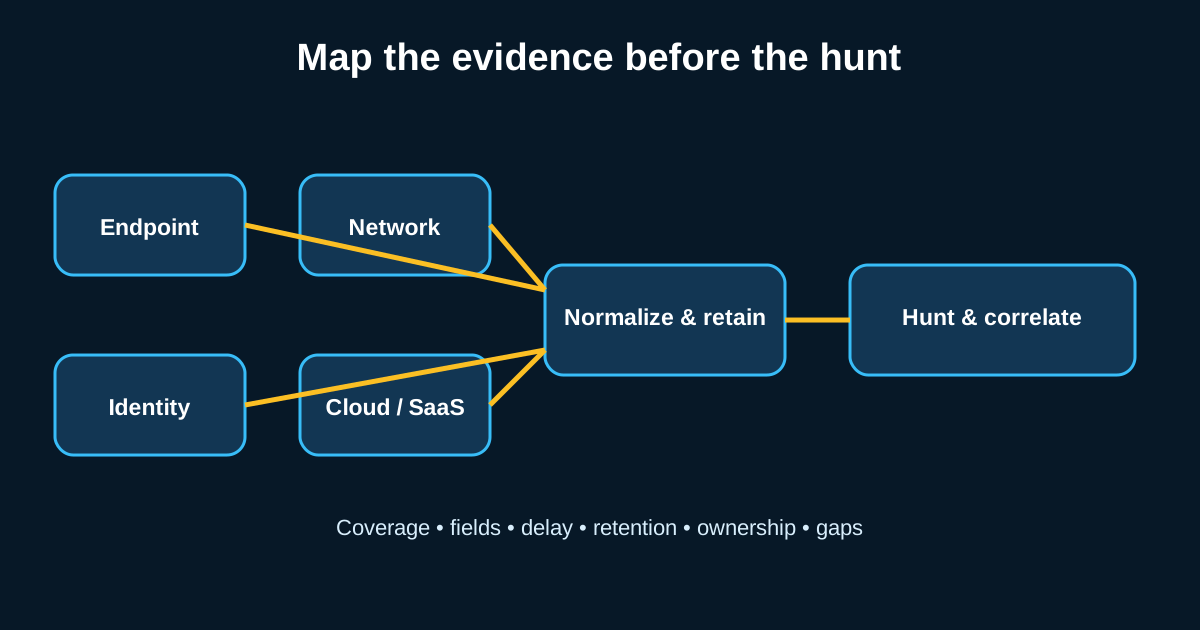
Defender XDR’s Advanced Hunting feature gets confused with Sentinel constantly, and the confusion is understandable since both use KQL—but they’re genuinely different tools solving different problems. Sentinel is your SIEM, pulling in data from everywhere. Defender XDR Advanced Hunting is scoped specifically to Microsoft’s own signal set—endpoint, identity, email, cloud apps—and that narrower scope is actually an advantage for certain hunt types, because the schema is tighter and the correlation across those specific domains is built in rather than something you have to engineer yourself.
If your organization is deep into the Microsoft 365 Defender stack, this is where a lot of your highest-value hunting should actually happen, not just in Sentinel.
The table schema is your map—learn it before you write anything
Advanced Hunting organizes data into tables like DeviceProcessEvents, DeviceNetworkEvents, DeviceRegistryEvents, IdentityLogonEvents, and EmailEvents, each with a consistent naming convention across the Device* family specifically. Once you know that DeviceProcessEvents has FileName, ProcessCommandLine, InitiatingProcessFileName, and InitiatingProcessCommandLine as its core fields, that same pattern (Initiating- prefix for the parent context) repeats across nearly every Device table, which makes learning the schema faster than it initially looks.
| Say you’re building a hunt for suspicious LOLBin usage—regsvr32.exe with unusual arguments, for instance. The query is straightforward once you know the field names: DeviceProcessEvents | where FileName =~ “regsvr32.exe” | where ProcessCommandLine has “scrobj.dll”—a classic pattern for the Squiblydoo technique, catching regsvr32 being abused to execute a remote script rather than register a legitimate COM object. |
Cross-domain joins are where Defender XDR genuinely earns its keep
The real value of Advanced Hunting isn’t any single table—it’s joining across the Device, Identity, and Email domains in one query, because Microsoft’s own telemetry makes that join relatively clean compared to stitching together disparate log sources yourself. A hunt for “phishing email that led to a malicious process execution” can join EmailEvents to DeviceProcessEvents through EmailAttachmentInfo and a shared identifier, giving you the full chain from inbox to execution in a single query rather than three separate investigations you manually correlate afterward.
This cross-domain view is genuinely hard to replicate cheaply with disparate tools, and it’s the single biggest reason I’d tell a Microsoft-shop SOC to invest hunting time here specifically rather than assuming their SIEM alone covers the same ground.
The 30-day retention window shapes how you plan hunts
Advanced Hunting data typically retains 30 days by default (extendable with additional licensing), which is meaningfully shorter than what you might keep in a dedicated SIEM. This matters for hunt planning—a hypothesis that requires baselining behavior over 90 days to establish statistical confidence needs a different data source, or you need to be exporting Advanced Hunting data into Sentinel or another long-term store specifically to preserve that history.
I’ve seen teams build a great hunt hypothesis, try to validate it against six months of history, and hit a wall at 30 days without realizing the limitation until they were mid-investigation. Know your retention window before you commit to a hunt design that depends on a longer lookback than the platform natively offers.
Custom detection rules turn a hunting query into ongoing coverage
Once an Advanced Hunting query proves itself, Defender lets you promote it directly into a custom detection rule with configurable frequency (as often as every hour) and automated response actions—isolating a device, or disabling a user account automatically, tied directly to the query results. This tight loop between hunt-query and automated-response is one of the platform’s real strengths, letting a hunting insight become active protection in a way that requires less separate SOAR tooling than some other platforms need for the same outcome.
Be deliberate about which queries get this treatment, though. A query with a 2% false positive rate sounds fine for manual review but becomes a real operational problem once it’s triggering automatic device isolation every few hours. Validate thoroughly against historical data before wiring up any response action stronger than an alert.
Function reuse keeps a growing hunt library from turning into duplicated logic
As your Advanced Hunting query library grows, you’ll notice the same sub-logic—normalizing a process name, extracting a specific pattern from a command line—getting repeated across dozens of queries. KQL lets you define these as reusable functions, and Defender’s Advanced Hunting supports saving and referencing them, which keeps your library maintainable instead of becoming forty variations of the same three lines of logic copy-pasted with minor tweaks.