Building a Detection-as-Code Pipeline
A practical capstone walkthrough for building an end-to-end detection pipeline from Sigma rule to version control to live SIEM deployment.
Somewhere in most SOCs there’s a folder called “detections_final_v3” sitting on someone’s desktop, and nobody’s entirely sure if what’s deployed in the SIEM still matches what’s in that folder. That gap—between the rule you think is live and the rule that’s actually running—is what detection-as-code is supposed to close. This is the capstone piece, so I’m going to walk through the whole pipeline the way I’d actually build it, not just the concept.
The idea itself isn’t complicated: treat detections like software. Version them, test them, review them, deploy them through a pipeline instead of pasting query syntax into a SIEM console by hand at 4pm on a Friday. The complication is that most teams know this in theory and still don’t do it, because building the actual pipeline takes more plumbing than people expect.
Start With the Repo Structure, Not the Tooling
Before touching CI/CD, get the repository layout right, because a messy repo undermines everything downstream. I like a structure that separates rules by log source and maturity: /rules/windows/process_creation/, /rules/network/dns/, and so on, with a /testing/ directory holding sample logs for validation and a /deprecated/ directory for rules you’ve retired but want to keep for reference.
Every rule file should be Sigma YAML, full stop—even detections you’ll eventually run natively in your SIEM’s own query language get authored as Sigma first and converted at deploy time. This is the part teams skip when they’re in a hurry, and it’s exactly the part that makes the pipeline worth building. Skip it, and you’re back to hand-written, platform-locked rules with no portability.
The Pipeline Stages, In Order
A working pipeline for a mid-sized SOC—say a team managing somewhere around 300-400 active detections—usually breaks into four stages: validate, test, convert, deploy.
Validation is schema-level: does the YAML parse, does it match Sigma’s spec, are required fields (title, status, logsource, detection, level) present. This step should run on every commit and every pull request, and it should be fast—under ten seconds for a single rule change—so nobody’s tempted to skip it.
Testing is where you run the rule against known sample logs—both a “should fire” sample and a “should not fire” sample—using something like Sigma’s own testing utilities or a custom harness reading from stored log fixtures. If you don’t have sample logs for a given technique, this is genuinely the hardest part to bootstrap, and it’s worth investing real time here rather than shortcutting it, because a rule that’s never been tested against real log shape is a rule you’re hoping works.
Conversion uses pySigma to translate the validated, tested Sigma rule into your target backend’s query language—Splunk SPL, Elastic KQL, Sentinel KQL, whatever you’re running. This is also where backend-specific field mappings get applied, which is why getting the Sigma taxonomy right at authoring time (rather than hardcoding platform-specific field names) matters so much upstream.
Deployment pushes the converted rule to the platform via API—most modern SIEMs support this, though the maturity varies a lot between vendors. Splunk’s REST API for saved searches is solid; some other platforms make you jump through more hoops. Either way, this step should be the only thing that actually touches production, and it should only run after the first three stages pass clean.
CI/CD Choices—Keep It Boring
You don’t need anything exotic here. GitHub Actions or GitLab CI both handle this fine—the pipeline logic matters far more than the platform running it. A typical workflow: pull request triggers validation and testing automatically, a human reviewer approves the PR (detection logic changes should always get a second set of eyes, the same way you’d review any other production code change), merge to main triggers conversion and deployment.
One thing worth building in from day one: a dry-run mode. Before a rule goes live and starts generating real alerts, run it in a “would have fired” mode against the last 30 days of production log data, logging matches without actually alerting. This catches false-positive-heavy rules before they hit your SOC’s queue instead of after three analysts have already wasted an afternoon triaging noise.
Rollback Has to Be as Easy as Deploy
Here’s what a lot of first attempts at this get wrong: they build a smooth path to deploy and no clear path to roll back. If a newly deployed rule starts flooding the queue at 2am, whoever’s on call needs a fast, low-friction way to disable it—ideally a single command or a one-click action in the pipeline, not a manual login to the SIEM console to hunt down and delete a saved search by hand while half-asleep.
Tag every deployment with the git commit hash it came from, and make sure your deploy script can take a previous commit and redeploy that state just as easily as the current one. This sounds like a minor detail until the first time you actually need it at an inconvenient hour.
What This Buys You Beyond Tidiness
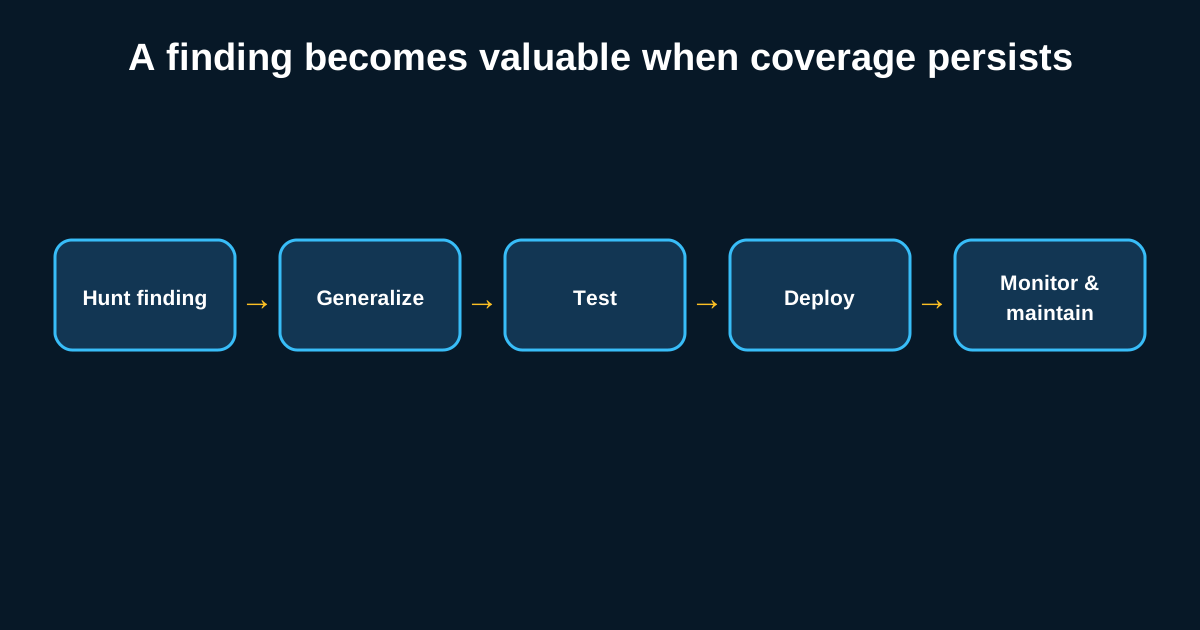
The payoff isn’t just cleaner ops—it’s actual detection quality over time. When every rule change goes through review and testing, your team builds institutional memory about why a rule looks the way it does, instead of losing that context every time someone leaves or a rule gets quietly hand-edited in the SIEM UI. It also means your hunt team’s investigation and analysis work—the stuff that surfaces new hypotheses worth turning into detections—has a clean, trustworthy path from “we found something in a hunt” to “this is now a permanent rule,” instead of dying in someone’s personal notes.
Building this pipeline once is genuinely a multi-week project if you’re doing it properly with testing infrastructure included. It’s also one of the highest-leverage things a detection engineering team can build, because every rule that goes through it afterward gets safer, faster, and easier to maintain.