Sysmon Deep Dive: Registry, Pipe, WMI, DNS Events
Go beyond process and network logs learn to hunt with Sysmon's registry, named pipe, WMI, and DNS event types.
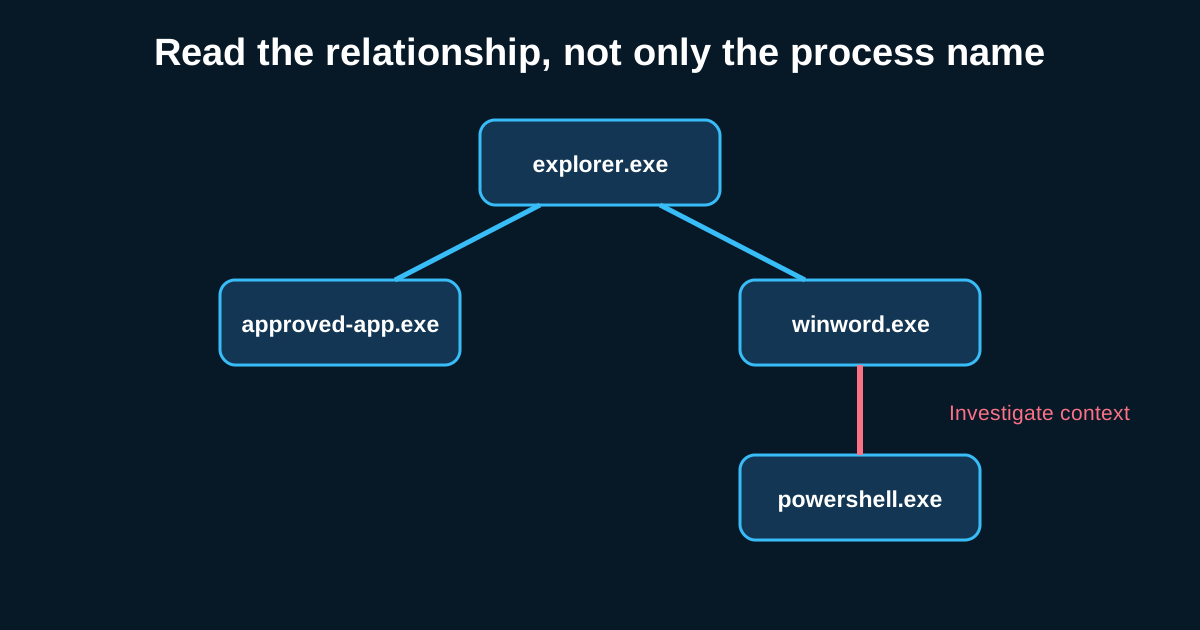
Most hunt teams stop at process creation and network connections and call their Sysmon coverage complete. That’s leaving a lot on the table. The event types that get less attention—registry modification, named pipes, WMI activity, DNS query logging—are exactly where a lot of persistence, lateral movement, and living-off-the-land techniques hide, precisely because fewer defenders are looking there.
I’ll admit these are more work to hunt with. The data’s noisier, the tooling support is thinner, and you’ll write more of your own detection logic instead of pulling community Sigma rules off the shelf. But that’s also why they’re valuable—less competition for the same signal.
Registry events (12, 13, 14): persistence loves a quiet key
Event IDs 12 (registry object create/delete), 13 (registry value set), and 14 (registry key/value rename) together give you visibility into one of the oldest and still most common persistence mechanisms: Run and RunOnce key modification. Malware doesn’t need anything exotic here—writing an entry to HKCU\Software\Microsoft\Windows\CurrentVersion\Run with a path to a payload is still standard practice because it still works.
The hunt hypothesis worth building: flag registry value creation under known autostart locations (Run, RunOnce, Winlogon Shell/Userinit, services keys) where the value data points to a path outside Program Files or Windows\System32, especially AppData, Temp, or ProgramData subdirectories. Say your environment has maybe 200 legitimate Run key entries across your fleet from known software—Adobe updater, your VPN client, whatever else IT has approved. A new Run key entry appearing on one host pointing to C:\Users\Public\svchost32.exe is the kind of anomaly that’s genuinely rare and genuinely worth an alert, not just a hunt lead.
Don’t ignore Image File Execution Options (IFEO) either—registry-based persistence and defense evasion via IFEO debugger hijacking barely shows up in process or network telemetry at all, but it’s fully visible through registry event logging if you know to look for modifications under that specific key path.
Named pipes (17, 18): the internal C2 signal nobody’s watching
I mentioned this briefly in the C2 hunting series, but it deserves its own dedicated attention here. Named pipes are how a lot of process-to-process and even host-to-host communication happens on Windows, and post-exploitation frameworks—Cobalt Strike, Covenant, several others—use custom named pipes for internal command relay specifically because so few environments log pipe creation at all.
Baselining is everything here. Pull pipe creation events (Event ID 17) across your fleet for a couple of weeks first, and you’ll find most environments have a stable, fairly small set of recurring pipe names tied to normal Windows services and installed software. A new pipe name appearing simultaneously across a dozen hosts within minutes of each other—especially something with a randomized-looking name or one that mimics a legitimate pipe name with a subtle typo—is a strong lateral movement indicator that almost nothing else in your telemetry stack will catch as cleanly.
WMI events (19, 20, 21): the fileless persistence and execution vector
WMI event subscriptions are a favorite for fileless persistence precisely because they don’t require dropping a file to disk that your file monitoring might catch. Sysmon’s WMI event types—filter registration, consumer registration, and consumer-to-filter binding—give you direct visibility into this technique that’s otherwise nearly invisible without deep WMI repository forensics.
The hunt pattern here: legitimate WMI event subscriptions in most environments are rare and tied to specific management tooling (SCCM, some monitoring agents). A new permanent WMI event filter tied to a suspicious consumer—say, one that executes a command line or script whenever a specific process starts—is close to a guaranteed red flag. I’d treat any new WMI permanent subscription outside your known management tooling baseline as worth immediate investigation rather than passive hunting, given how narrow the legitimate use case actually is.
DNS query logging (22): finally, visibility Sysmon didn’t used to have
Sysmon’s DNS query event (Event ID 22, added in version 8) logs the domain name a process attempted to resolve, tied directly to the requesting process—something that used to require separate DNS server logging or network capture to get. This closes a real gap: previously you could see a network connection to an IP, but tying that back to “which domain name did this process actually ask for” required correlating across two different data sources.
For hunting, this means you can now directly query for process-to-domain pairings that don’t make sense—a Notepad process resolving a domain, for instance, has no legitimate explanation and would be an immediate red flag in almost any environment. It also strengthens your DGA and tunneling hunts from earlier in this series, since you can now filter suspicious domain queries by which specific process requested them rather than just which host generated the traffic.
These event types reward patience more than volume
Unlike process creation or network connections, you won’t be running these queries against millions of events a day—the volume here is naturally lower, which means the signal-to-noise ratio, once you’ve built a proper baseline, tends to be better. The tradeoff is you’ll spend more time up front understanding what’s normal in your specific environment before any of this becomes useful.