Hunting Execution: PowerShell and Living-Off-the-Land Binaries
A focused, practical guide to hunting PowerShell abuse and living-off-the-land binaries, the execution techniques attackers rely on most.
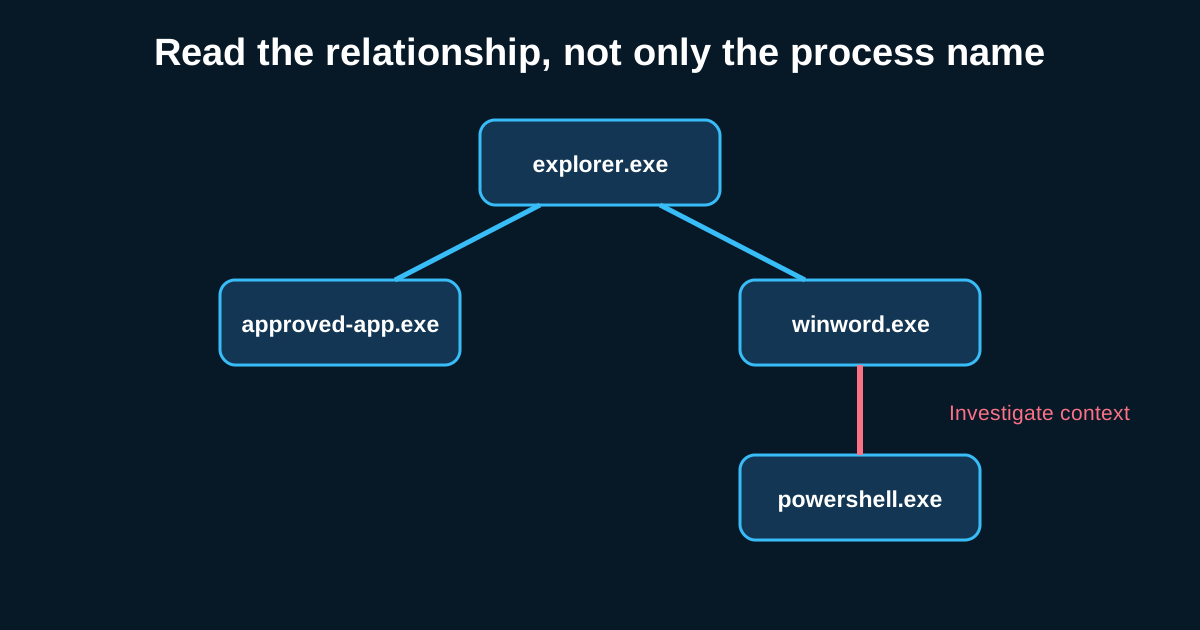
If you could only build hunting capability for one execution technique, PowerShell and living-off-the-land binaries would be the obvious choice—not because they’re the most sophisticated, but because they’re the most used, across nearly every actor category covered earlier in this series, from opportunistic ransomware affiliates to patient nation-state operators.
Why PowerShell Specifically Deserves Its Own Deep Dive
PowerShell’s legitimate ubiquity is exactly what makes it attractive to attackers and exactly what makes hunting it well genuinely hard. It’s used constantly by IT administrators for entirely legitimate automation, which means a hunt built around “PowerShell executed” as the trigger condition is functionally useless—you’d be investigating thousands of benign events for every genuinely malicious one. The hunt has to be built around specific, more discriminating signals within PowerShell usage rather than PowerShell usage itself.
The Logging Configuration That Makes or Breaks This Hunt
Before any of the following techniques matter, confirm your environment actually has PowerShell script block logging enabled, not just basic process creation logging. Basic logging shows you that powershell.exe ran; script block logging shows you the actual code that executed, including code that was dynamically generated or decoded at runtime—which is exactly the part attackers try hardest to obscure. Say an environment only has process creation logging enabled—a hunt for encoded PowerShell commands will find the encoded blob in the command-line argument but won’t be able to see what it actually decodes to and does, without a separate manual decoding step every time. Script block logging captures the decoded, executed content directly, which is a meaningfully better starting position for a hunter.
Encoded and Obfuscated Commands as a Primary Signal
The -EncodedCommand parameter, and various other obfuscation techniques attackers use to avoid simple string-matching detections, are among the more reliable signals worth hunting for specifically. Legitimate administrative scripts occasionally use encoding for genuinely benign reasons—passing complex arguments that would otherwise have escaping issues—but the volume is typically far lower than what shows up in an actively malicious environment, and each instance is cheap enough to review manually once you’ve filtered down to just the encoded executions.
A hunt hypothesis worth running: pull all PowerShell executions using encoded command parameters over a 30-day window, decode each one (many SIEM platforms can do this decoding as part of the query itself), and review the decoded content for download-and-execute patterns, credential access attempts, or connections to external infrastructure. Say this hunt across a mid-size environment surfaces 40 encoded executions in a month, and manual review shows 38 are a legitimate internal automation tool that happens to encode its arguments for unrelated reasons, with two showing genuinely suspicious decoded content pointing to an external download—that ratio, uncomfortable as it sounds, is fairly typical, and it’s exactly why this hunt is worth the manual review time it requires.
LOLBAS: Knowing Which Binaries Actually Matter for Your Environment
Living-off-the-land binaries and scripts—legitimate, signed system utilities like certutil, mshta, rundll32, and regsvr32 that can be abused for downloading, executing, or bypassing application controls—represent a huge and constantly evolving category. The living-off-the-land binaries and scripts project maintains a well-known, community-curated catalog of these, and it’s worth treating as a living reference rather than a one-time read, since new abuse techniques for existing legitimate binaries get documented regularly.
Rather than trying to hunt for every cataloged LOLBAS technique simultaneously, prioritize based on which of these binaries actually see legitimate use in your specific environment. A binary that’s genuinely never invoked legitimately in your environment (many organizations, for instance, have no legitimate business reason for certutil to ever download a remote file) can be hunted with a much lower tolerance threshold than a binary your IT operations team uses constantly for legitimate purposes, where the hunt needs finer discrimination based on specific arguments or context rather than presence alone.
Building a Baseline of “Never Legitimately Used This Way”
The most efficient version of this hunt comes from building a short, environment-specific list of LOLBAS argument combinations that have zero legitimate use case in your organization, based on actually consulting with IT operations about what these tools are genuinely used for day to day. Say your IT team confirms that mshta.exe has no legitimate business use anywhere in your environment—any execution of it at all, regardless of arguments, becomes a high-confidence hunt trigger, since there’s no baseline of legitimate noise to filter through in the first place.
Combining PowerShell and LOLBAS Hunts for Multi-Stage Detection
The strongest version of this hunting category looks for the combination rather than either technique alone—a LOLBAS execution that subsequently spawns a PowerShell session, or a PowerShell command that invokes one of these living-off-the-land binaries as part of its own execution chain. This chained pattern, echoing the behavioral-chain reasoning covered in earlier pieces, is considerably rarer in legitimate use than either technique individually, and it’s often where the strongest, most confident findings in this entire category come from.