Your First Hunt, Start to Finish
A full beginner walk-through of a real threat hunt, from forming the hypothesis to writing the final report, before you learn each piece separately.
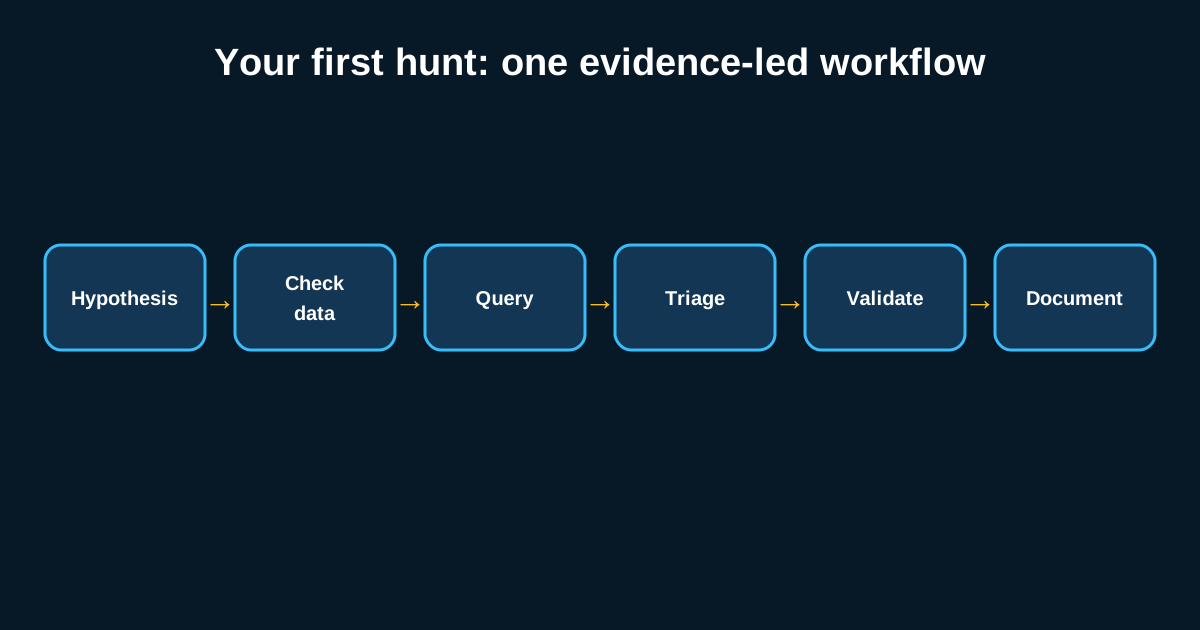
Most training walks you through hunting concept by concept—hypothesis formation, data sources, query construction, reporting—as separate modules, and by the time you finish all four, you’ve never actually seen how they connect into one continuous piece of work. So before we break anything down further, here’s what one complete hunt looks like end to end, using a realistic scenario a beginner might actually run.
Where the Idea Came From
Say you read a threat intel summary mentioning that a particular ransomware group has been using scheduled tasks for persistence, disguised with names that mimic legitimate Windows maintenance tasks. That’s your starting point—not a formal ATT&CK technique lookup, just a plausible thread worth pulling on. The hypothesis you write down: “If an attacker created a disguised scheduled task for persistence in our environment recently, we’d expect to see a scheduled task creation event where the task name resembles a legitimate system task but the associated binary path or command line looks unusual.”
Notice this hypothesis is specific enough to be testable and specific enough to fail—a vague hypothesis like “check for persistence” doesn’t give you a clear stopping point, and you’ll wander for hours without knowing whether you’re done.
Checking What Data You Actually Have Before Writing Any Query
Before touching the SIEM, confirm you’re actually collecting scheduled task creation events—Windows Security Event ID 4698 is the one you need here. This is the step beginners skip most often, and it’s the single biggest source of wasted hunt time. If 4698 isn’t being forwarded from your endpoints into the SIEM, no amount of clever querying will surface anything, and you’ll waste twenty minutes assuming your query logic is wrong when the real problem is a missing log source entirely.
Confirm it’s there—pull a handful of recent 4698 events just to see the field structure, since documentation and reality don’t always match exactly what fields populate in your specific environment.
Writing and Running the Query
With confirmed data, the query itself is usually the fastest part. Pull all Event ID 4698 events across your endpoints for the last 30 days, and extract the task name and the command line or executable path associated with each. Say this returns 340 scheduled task creation events across your environment in that window—most from legitimate software installers and IT automation, a handful worth a second look.
Sort by task name similarity to known Windows system tasks (things like “Microsoft\Windows\UpdateOrchestrator” naming conventions) combined with an unusual executable path—something running from a user’s Downloads folder or a Temp directory rather than System32 or Program Files. This narrows 340 events down to, in this hypothetical, six that warrant closer inspection.
Investigating the Six Candidates
For each of the six, pull the surrounding context: what process created the task, what account was logged in at the time, whether that host has any other unusual activity in the same window. Four of the six turn out to be a legitimate third-party backup tool that happens to name its scheduled tasks in a way that looks system-like—false positive, but worth noting for next time so you don’t re-investigate the same pattern from scratch.
Two remain genuinely unexplained: a task named to mimic a Windows Defender maintenance task, but pointing to an executable in a user’s AppData folder, created by a service account that has no documented reason to be creating scheduled tasks at all. This is where the hunt shifts from broad querying to focused investigation—pulling process creation events for that executable, checking whether it made any network connections, checking whether that service account has shown any other unusual behavior in the surrounding days.
Writing It Up—Even If It Turns Out Benign
Say the investigation confirms this was, in fact malicious—a persistence mechanism tied to a broader compromise that then needs to hand off to incident response. Or say further digging shows it was an undocumented internal tool nobody remembered to register properly, and it’s benign. Either outcome gets documented the same way: hypothesis, data sources used, query logic, findings, and—critically—the four false positives, so the next hunter (possibly you, in six months) doesn’t burn time rediscovering that the backup tool’s naming convention looks suspicious but isn’t.
What This Walk-Through Is Meant to Show
The mechanics here aren’t complicated—one event ID, one filtering pass, a handful of manual investigations. What matters is the shape of the process: specific hypothesis, data availability check, narrow query, manual triage of a small candidate set, and documentation regardless of outcome. Every hunt you’ll ever run, no matter how sophisticated the data source or hypothesis, follows roughly this same shape. Get comfortable with it at this scale before you try to run something more complex.
Run it yourself
Repeat the scenario with one harmless scheduled task in an isolated lab. Record the hypothesis before creating the task, limit the time range, and note every pivot you use. Your final conclusion should say exactly what was searched and what the available data can support; it should never claim the entire environment is clean.
The first hunt is successful when the process is reproducible and the conclusion is supported—not only when it finds malicious activity.