Hunting Execution: How Attackers Actually Run Their Code
A hunter's guide to detecting execution techniques used after initial access, from scripting interpreters to scheduled task abuse.
Getting a foothold is only useful to an attacker if they can actually run something once they’re inside, and execution is the tactic that covers exactly that moment—the point where whatever access was gained turns into active code running on a system. It’s a broad category, and hunting it well means understanding that execution rarely looks dramatic. Most of it is quiet, using tools that were already sitting on the machine legitimately.
Command and Scripting Interpreters Are the Backbone of Modern Execution
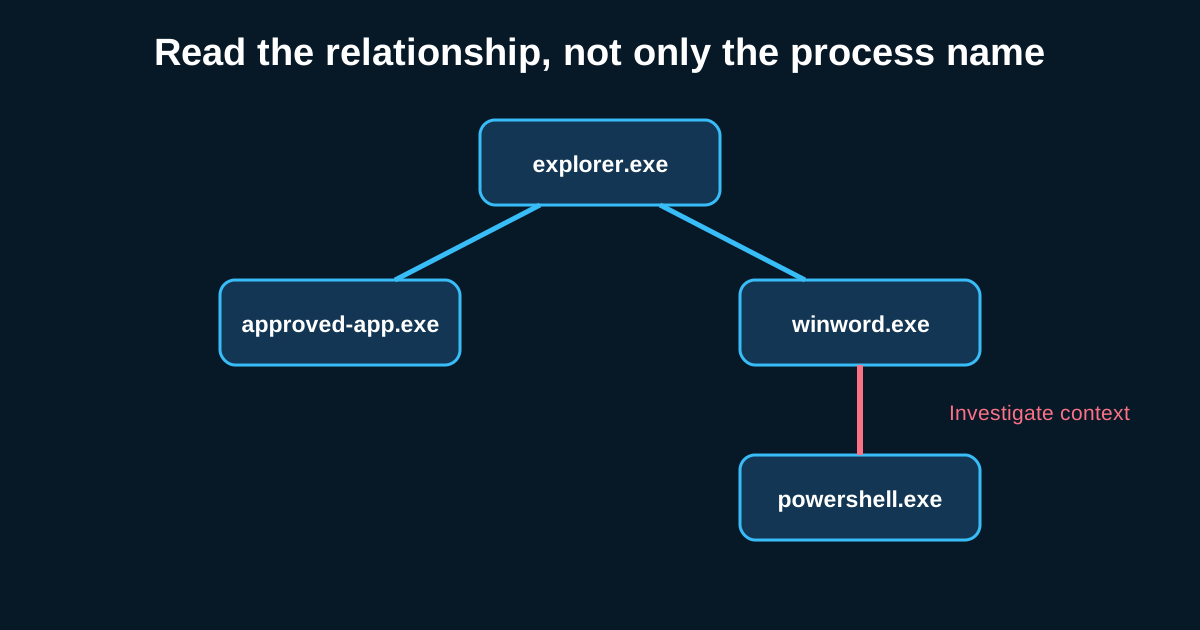
PowerShell, command shell, and various scripting interpreters remain the dominant execution mechanism across most intrusions, precisely because they’re already present, trusted, and powerful enough to do almost anything an attacker needs without introducing a new, detectable binary at all. A broad hunt hypothesis worth establishing as a baseline: review command-line arguments (not just process names) for scripting interpreter executions, looking specifically for encoded or obfuscated commands, unusual parent-child process relationships (a scripting interpreter spawned by an application that has no legitimate reason to spawn one), and execution occurring outside normal administrative hours for that specific host or account.
The command-line argument detail matters enormously here and gets missed constantly in environments where logging only captures the process name. Say your logs show powershell.exe executing—on its own, nearly meaningless, since it runs constantly for entirely legitimate reasons across most environments. The same event with full command-line logging showing a base64-encoded argument decoding to a download-and-execute command is an entirely different, much more actionable finding, which is exactly why command-line logging (Sysmon Event ID 1 with full command-line capture, or PowerShell script block logging specifically) is worth prioritizing in any environment serious about execution-stage hunting.
Scheduled Tasks and Native Windows Utilities as Execution Vehicles
Beyond direct scripting, attackers frequently abuse native execution mechanisms that were never intended as attack tools—scheduled tasks used not just for persistence but as a straightforward mechanism to execute code, WMI used to run commands remotely, and various signed system utilities repurposed to execute attacker-supplied code. A hunt hypothesis here overlaps meaningfully with the persistence-focused hunts covered elsewhere in this series, but the execution-specific angle asks a slightly different question: not “does this survive a reboot” but “is this mechanism being used right now to run something it shouldn’t.”
Container and Cloud-Native Execution: The Newer Frontier
As more environments run workloads in containers or serverless functions, execution techniques have expanded into that territory too—malicious container images, abuse of cloud functions to execute code within a trusted execution environment, deployment of unauthorized containers within a legitimate orchestration platform. This is genuinely newer hunting ground for most teams, and it requires different telemetry than traditional endpoint hunting—container runtime logs, orchestration platform audit logs, cloud function invocation records. A hunt hypothesis worth building if your environment runs meaningful container workloads: review for container deployments outside your standard CI/CD pipeline, or images pulled from registries outside your organization’s approved, internal list.
Inter-Process Communication and Execution via Legitimate Software
A more advanced execution pattern worth hunting for involves attackers leveraging legitimate, already-running software’s own scripting or automation capabilities rather than introducing an external interpreter at all—abusing macro functionality in office applications, or automation features in legitimate business software that were never intended as a general-purpose execution mechanism but technically function as one. This tends to be harder to hunt for generically and benefits from environment-specific knowledge of which legitimate applications in your environment have this kind of automation capability at all, tying back to the environmental hypothesis generation covered earlier.
Building Execution Hunts Around Anomalous Combinations, Not Single Signals
The recurring theme across execution-stage hunting, echoing the behavioral chains discussed earlier, is that single execution events are almost always explainable on their own—PowerShell runs constantly, scheduled tasks get created constantly, WMI is used by legitimate IT tooling constantly. What makes an execution event worth investigating is the combination: an unusual parent process, combined with an unusual time, combined with an unusual account, or an encoded command combined with a network connection immediately following. Building hunt logic around these combinations, rather than flagging any single execution mechanism in isolation, is what keeps this category of hunting from drowning in false positives given how ubiquitous these legitimate tools actually are.
Where to Start If You’re Building This Out Fresh
If execution-stage hunting is new territory for your program, start narrow: pick one specific interpreter or mechanism (PowerShell is usually the highest-value starting point given how frequently it’s abused), confirm your logging actually captures command-line detail for it, and build one well-scoped hunt hypothesis before expanding to the broader category. Trying to hunt every execution mechanism at once, without this kind of staged buildup, tends to produce shallow coverage across everything rather than solid coverage of anything.