Windows Credential Hunting
A practical guide to hunting credential theft across LSASS, SAM, DPAPI, and cached secrets on Windows before attackers cash them in.
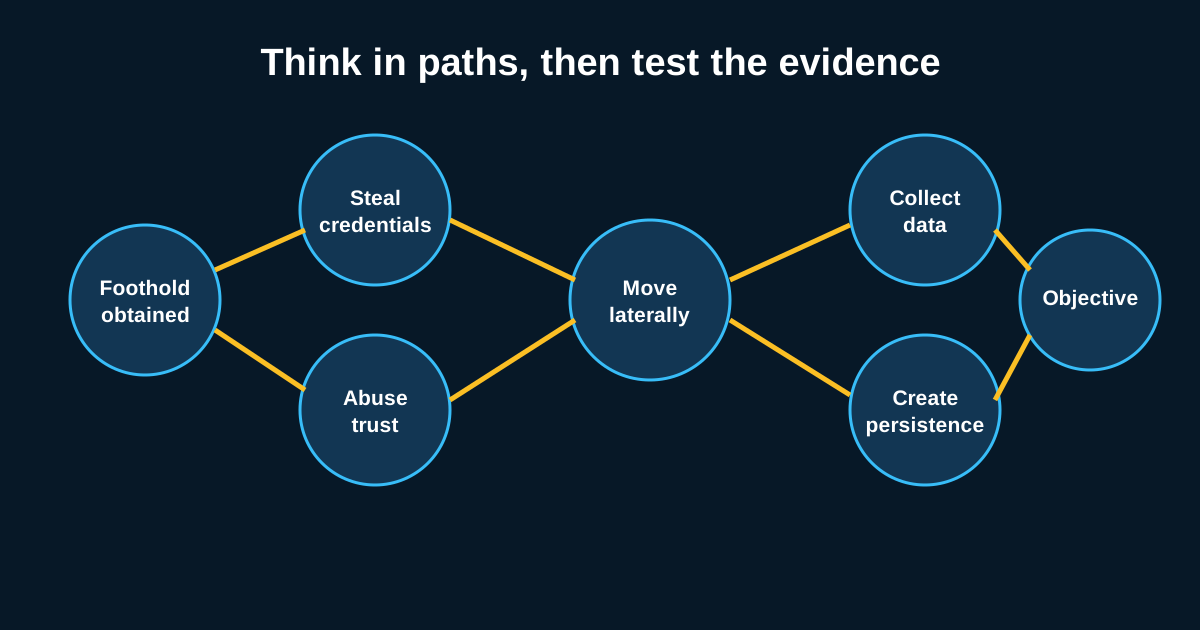
Every ransomware timeline you’ve ever reconstructed has the same middle chapter. Attacker lands on a box, spends twenty minutes looking bored, then suddenly has domain admin. That gap isn’t magic. It’s credential theft, and it’s almost always sitting in your telemetry if you know where to look.
Windows hands attackers an embarrassment of riches when it comes to stored secrets. LSASS memory, the SAM database, DPAPI blobs, cached domain credentials, browser vaults, even the clipboard. Defenders tend to fixate on one technique usually Mimikatz dumping LSASS and miss the other six ways an attacker can walk out with the same prize. Good threat hunting here means covering the whole surface, not just the famous one.
LSASS is the headline act, but watch how it’s accessed
Everyone knows LSASS holds credentials in memory. What gets missed is how many legitimate processes touch LSASS during normal operation, which makes naive “alert on LSASS access” rules a false-positive factory. The hunt that actually works looks at the requesting process’s access rights combined with its parentage and signing status.
A process like taskmgr.exe or procdump.exe requesting PROCESS_VM_READ and PROCESS_QUERY_INFORMATION against lsass.exe, launched by a user session rather than a service, is worth a second look especially if that process was dropped ten minutes earlier from a temp directory. Sysmon Event ID 10 with GrantedAccess values of 0x1010 or 0x1410 is the classic signature analysts chase, but attackers have gotten wise to that and now favor comsvcs.dll’s MiniDump export or direct syscalls to dodge the usual API hooks. If your detection only fires on procdump.exe -ma lsass.exe, you’re covering maybe a third of the real technique population.
SAM, SECURITY, and SYSTEM hives don’t get enough attention
Local account hashes live in the SAM hive, and the SECURITY hive holds the LSA secrets service account passwords, cached DPAPI keys, sometimes autologon credentials in plaintext if someone was sloppy. Attackers dump these three registry hives together because SYSTEM’s boot key unlocks the other two. reg save hklm\sam, reg save hklm\security, reg save hklm\system run in sequence from cmd.exe is about as loud a signal as you’ll get, and it’s one of the highest-confidence detections you can build with almost zero tuning effort.
I’d rank this hunt above LSASS memory hunting for return on investment, honestly. It’s rarer in legitimate admin workflows, it’s cheap to detect via command-line logging, and it catches offline credential extraction tooling that never touches LSASS process memory at all Volume Shadow Copy abuse being the classic bypass here, where an attacker pulls the hives from a shadow copy instead of the live registry to sidestep file locks.
DPAPI blobs are the quiet one nobody hunts for
DPAPI protects a huge amount of what’s actually valuable on a Windows box saved RDP credentials, Wi-Fi keys, Credential Manager entries, and browser-saved passwords in Chrome and Edge. The master keys live under %APPDATA%\Microsoft\Protect\{SID} and once an attacker has the user’s password hash or the domain backup key, decrypting every DPAPI blob on the box is trivial.
Hunting here means watching for enumeration of that Protect directory by processes that have no business reading it, and for LSA calls related to CryptUnprotectData from unusual process contexts. Tools like SharpDPAPI leave a fairly distinctive footprint if you’re logging process creation with command-line arguments look for references to masterkey, credhist, or blob flags that a normal user session would never generate. Say a finance team member’s laptop shows a PowerShell process reading fifteen DPAPI master key files in under two seconds that’s not someone troubleshooting their saved passwords.
Cached domain credentials and the offline attacker problem
MSCACHEV2 hashes let a domain-joined machine authenticate a user even when the DC is unreachable, which is convenient for laptops on flights and convenient for attackers with SYSTEM access. These live in the SECURITY hive too, but they deserve their own hunting logic because they’re valuable for offline cracking rather than pass-the-hash the format doesn’t support relay attacks the way NTLM does.
The investigation angle that pays off is correlating registry hive access with subsequent outbound connections or file staging activity. An attacker who dumps cached credentials locally usually isn’t done they’re taking that data somewhere for cracking, which means archive creation (7z, rar) or exfil-adjacent network behavior shortly after. Building that chain into a single detection logic, rather than three disconnected alerts, cuts a mountain of noise down to a handful of genuinely actionable cases.
Building the hunt hypothesis instead of waiting on alerts
None of this works as a set-and-forget detection stack. Credential theft tooling evolves fast enough that signature-based rules age out in months, sometimes weeks. The hunters who stay ahead build hypotheses around behavior unusual process-to-LSASS access patterns, hive access outside patch windows, DPAPI enumeration bursts and test them against their own environment’s baseline rather than importing someone else’s Sigma rule wholesale and hoping.
Start with one artifact category, learn what normal looks like in your environment for a month, then layer the next one in. Trying to cover LSASS, SAM, DPAPI, and cached creds all at once usually just produces a dashboard nobody trusts.