Hunting BloodHound-Style Attack Paths
Learn to map and hunt AD attack paths the way BloodHound does before an attacker finds the shortest route to Domain Admin.
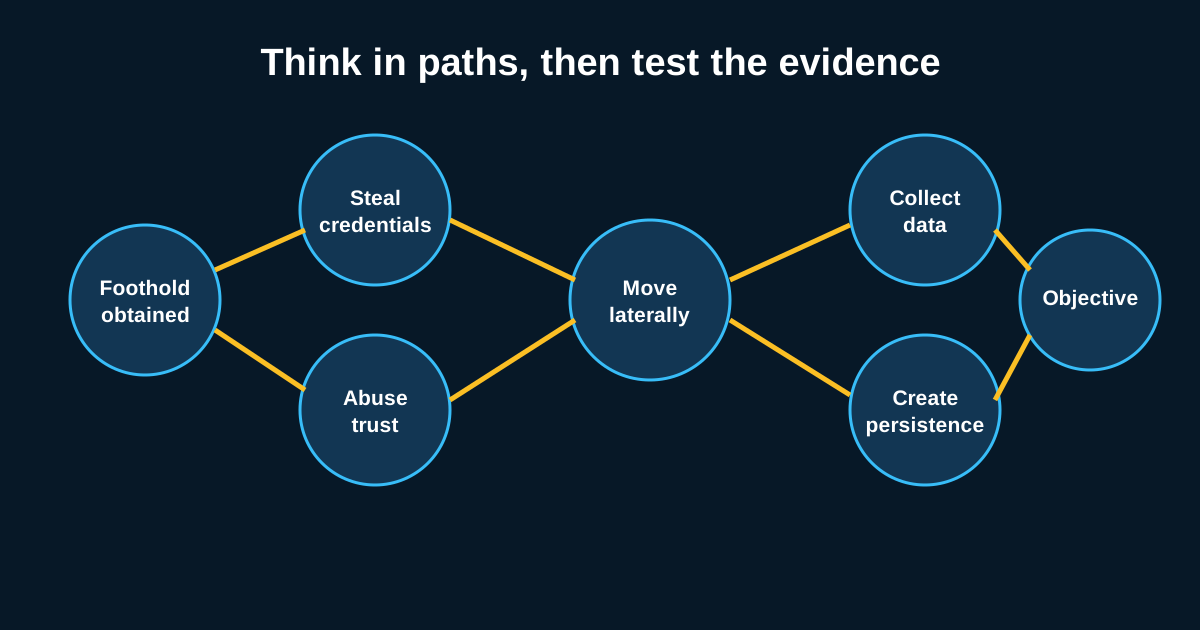
Run BloodHound against your own domain sometime and don’t be surprised if the shortest path to Domain Admin runs through a help desk account nobody thought twice about. That’s not a hypothetical. It’s the normal state of most Active Directory environments that have existed for more than a couple of years, accumulating nested groups and forgotten delegations the whole time.
Attackers use BloodHound, or tools like it, because manually mapping AD relationships is tedious and graph analysis isn’t. The uncomfortable truth for defenders is that BloodHound doesn’t find anything that wasn’t already there it just makes the existing paths visible fast. Which means the real fix isn’t just detecting when someone runs the tool. It’s finding and closing the paths yourself, before someone else’s graph query does it for you.
Run the same collection an attacker would, on your own schedule
The single highest-value thing an AD hunting team can do here is periodically run BloodHound’s SharpHound collector (or an equivalent) against their own environment and actually review the output. This sounds almost too simple, but most organizations never do it, or do it once during a pentest and then never again as the domain drifts.
What you’re looking for specifically: accounts with GenericAll, WriteDacl, or ForceChangePassword rights over higher-privileged objects, especially where that permission was clearly never intended a marketing department service account that somehow has GenericWrite over a Tier 0 admin group, say, left over from a project three reorgs ago. Nested group memberships are the other big one. An account in “Help Desk Level 1” that’s nested inside “Server Admins” that’s nested inside a group with GPO-link rights on the domain controllers OU is a three-hop path that took someone thirty seconds to build in BloodHound and will take you longer to unwind manually.
Detecting the reconnaissance itself is possible but limited
SharpHound collection generates a specific, somewhat noisy pattern: LDAP queries pulling large volumes of object attributes across the domain in a short window, often followed by SMB session enumeration against many hosts to gather local admin and session data. Event ID 4661 combined with unusually broad LDAP search filters, or a single account generating SMB connections to dozens of hosts within minutes, is worth building a detection around.
But here’s the caveat I’d give any team leaning too hard on this: attackers increasingly run collection slowly, throttled, or from compromised low-privilege accounts specifically to stay under volume-based thresholds. A patient adversary running collection over three days at a trickle will beat almost any volume-based detection you build. That’s exactly why detecting the collection can’t be your only control closing the paths themselves is what actually reduces risk regardless of whether you catch the recon.
Tier zero contamination is the pattern that matters most
Microsoft’s tiering model exists for a reason, and violations of it are consistently the juiciest finding in any attack path review. Tier 0 is supposed to be domain controllers, PKI infrastructure, and the accounts that manage them nothing else. In practice, I’ve seen Tier 0 credentials cached on jump boxes that also run browser sessions, backup service accounts with domain admin rights logging into file servers for routine jobs, and print server management accounts nested into admin groups because someone needed a quick fix during an outage two years ago.
Hunting for tier contamination means cross-referencing where privileged accounts actually authenticate (via 4624/4648 logon events) against where they’re supposed to authenticate. A domain admin account logging onto a standard workstation, even once, even for five minutes, is the kind of finding that should generate an immediate investigation because if that workstation is ever compromised, the attacker inherits a short path straight to the top.
Certificate services paths are the newest wrinkle worth chasing
ADCS misconfigurations the ESC1 through ESC8 family of attack paths have become a favorite because they’re often overlooked by teams still focused purely on group memberships and ACLs. A certificate template that allows requester-supplied subject alternative names, combined with client authentication EKU and low enrollment restrictions, lets any domain user request a certificate that authenticates as domain admin. No password needed, no group membership needed.
These paths don’t show up in a standard BloodHound group-membership review unless you’re specifically collecting AD CS data, which most SharpHound runs by default now do include but many analysts skip reviewing. If your org runs its own CA, this is worth a dedicated pass check template permissions against the ESC pattern list and treat any match as a P1 finding, not a someday-fix.
Turning path analysis into an actual habit
The teams that get real value from this treat it as a recurring hunt, not a one-time audit. Rerun the collection quarterly at minimum, diff the results against the last run, and pay specific attention to new paths that weren’t there before because that’s usually a sign of drift from a project, a misconfigured onboarding script, or in the worst case, an attacker who’s already been in and built themselves a path on the way out.