Hunting Exfiltration Before It's Too Late
Practical detection strategies for spotting data exfiltration in network and cloud telemetry, before or after data leaves.
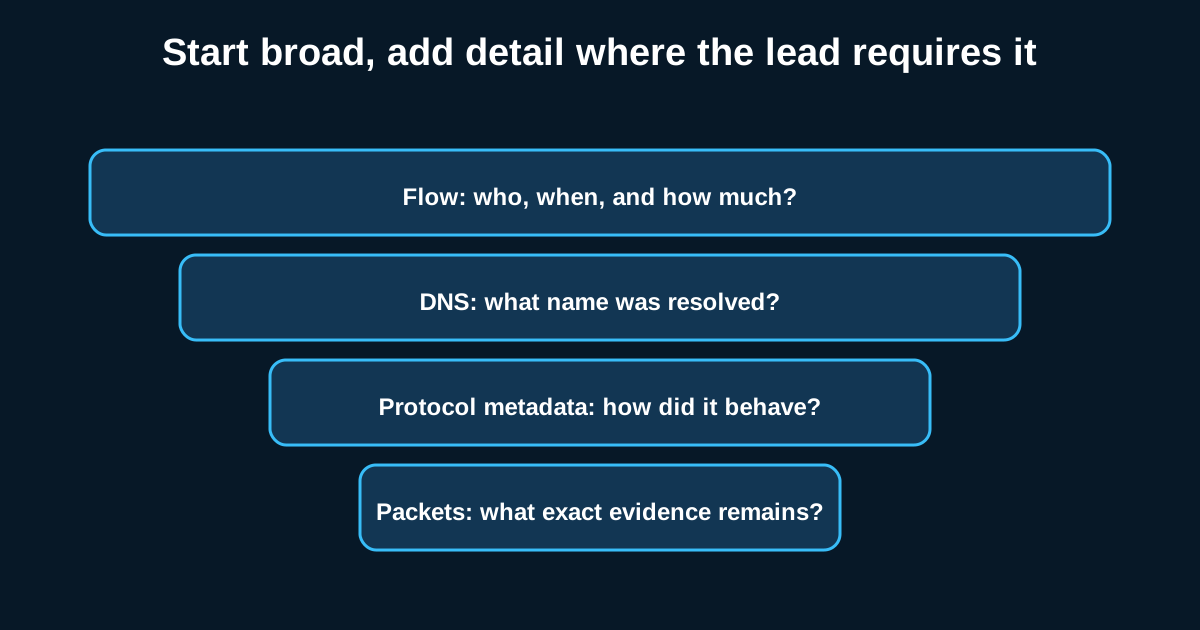
By the time exfiltration alerts fire in most environments, the data’s usually already gone. That’s the uncomfortable truth about this stage of an intrusion—it’s often the shortest phase, sometimes measured in minutes, especially once an attacker has staged files and just needs to push them out. Hunting exfil well means catching the staging and transfer behavior, not just reacting to a DLP alert three days later.
I’ve reviewed incidents where the actual theft—tens of gigabytes moved—took under twenty minutes once the attacker decided to pull the trigger. If your detection window depends on noticing that after the fact, you’re writing an incident report, not stopping a breach.
Staging is the tell that comes before the theft
Attackers rarely exfiltrate data as they find it, scattered across a dozen file shares. They stage first—compressing, archiving, sometimes encrypting the data into a handful of files sitting in a temp directory or an unusual location like C:\Windows\Temp or a user’s AppData folder. This staging step generates its own signal: sudden creation of large .zip, .rar, or .7z archives in locations that don’t normally see archive creation, often paired with command-line evidence of compression tools running with unusual flags (password protection, split archive sizes matching common exfil chunk limits).
Hunting for this means pulling process creation events for archival utilities—7z.exe, WinRAR, even PowerShell’s Compress-Archive—filtered against directories where legitimate business archiving never happens. Say you see 7z.exe invoked against a folder containing 400 individual files, producing a single 2.1GB output archive in a user’s Downloads folder at 2 AM. That’s a hunt lead worth chasing regardless of whether any data has left the network yet.
Volume-based network detection still matters, but tune it hard
The old-school approach—flag any outbound transfer over some threshold, like 500MB in a session—still catches things, but it’s a blunt instrument. Cloud backup software, video conferencing, and legitimate SaaS sync tools blow past that threshold constantly in a normal org. The refinement that actually helps is baselining per-host and per-user transfer volumes over time, then flagging deviations from that specific host’s normal, not a flat organization-wide number.
A finance analyst’s laptop that typically sends 40MB outbound per day suddenly pushing 3GB to an unfamiliar cloud storage provider is a much stronger signal than “someone somewhere sent a big file.” Layer in destination reputation—is this going to a sanctioned corporate SharePoint tenant, or to a personal Mega.nz or Dropbox account created under a free-tier email?—and you cut false positives dramatically.
Cloud environments need a different playbook entirely
If your data lives in S3 buckets, Azure Blob Storage, or Google Cloud Storage, network-layer exfil hunting mostly doesn’t apply—the attacker doesn’t need malware or a C2 channel to steal data, just valid (often stolen) API credentials and a few CLI commands. Here the investigation shifts to cloud audit logs: CloudTrail GetObject calls at unusual volume, especially from an IAM role or access key that’s never touched that bucket before, or API calls originating from a geography or ASN that doesn’t match the account’s normal usage pattern.
One pattern worth specifically hunting: a service account or automation role suddenly being used interactively—API calls with human-typical timing gaps instead of the machine-regular cadence you’d expect from legitimate automation. That mismatch between “this credential is supposed to be a bot” and “this behavior looks like a person clicking around” is a strong analytic lead, and it’s one a lot of cloud security teams don’t build detections for at all.
DNS and encrypted channels as exfil paths too
Worth remembering: everything covered in the DNS tunneling post applies here directly. Data doesn’t have to leave over HTTP or FTP—DNS tunneling, ICMP, and abused SaaS APIs are all legitimate exfil channels, not just C2 beaconing channels. The line between “command and control” and “exfiltration” traffic is often just a matter of which direction the payload flows through the same tunnel.
Investigation priorities when you catch it mid-transfer
If you catch exfiltration in progress—genuinely in progress, not post-mortem—your investigation priorities change completely. Isolating the host matters less than understanding scope fast: what data was actually accessed versus staged, whether credentials used to access it were legitimate or compromised, and whether the transfer channel gives you a live IP or domain worth blocking immediately at the perimeter. Speed of triage here directly affects how much data actually leaves versus how much you stop mid-stream.