Hunting Defense Evasion: The Hardest Tactic to Detect
Why defense evasion is the hardest ATT&CK tactic to detect, and how hunters should approach techniques built specifically to defeat them.
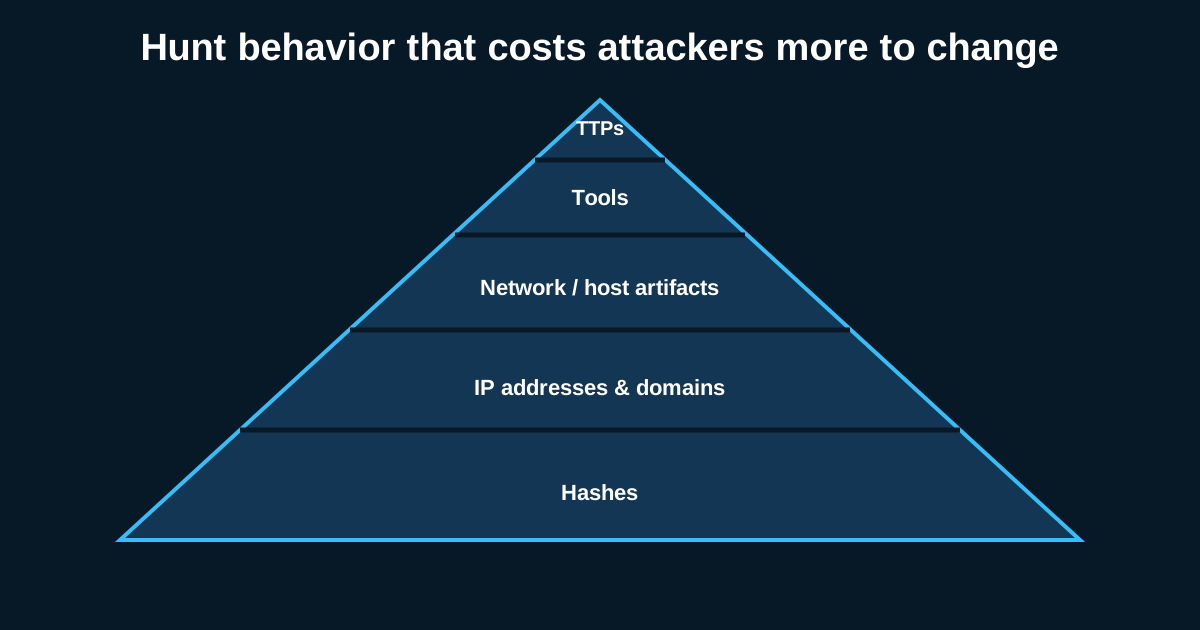
Every other tactic covered in this series has a somewhat clear objective the attacker is trying to achieve—persistence survives a reboot, execution runs code, privilege escalation gains access. Defense evasion has a different, more adversarial objective: specifically defeating the tools and processes you’re using to hunt for everything else. That makes it uniquely difficult, and uniquely important, to hunt well.
Why This Tactic Is Structurally Different From the Others
Defense evasion techniques are built with an explicit awareness that defenders exist and are looking—they’re designed against your detections, not just to accomplish some independent objective. This means a mature defense evasion capability essentially represents an ongoing arms race specific to your own tooling, and it also means that hunting for evasion often requires meta-level thinking: not just “is this behavior suspicious” but “would this behavior specifically defeat the way my logging or detection is configured.”
Log Manipulation and Clearing: An Obvious Signature With Real Value
Some evasion techniques are almost embarrassingly direct—clearing Windows event logs entirely, or selectively deleting specific log entries. Event ID 1102 (audit log cleared) is one of the more reliable, high-confidence signals available in Windows security logging, precisely because legitimate reasons to clear an entire security event log are genuinely rare in most environments. A hunt hypothesis worth treating as a near-automated, high-priority alert rather than a routine hunt: any occurrence of security log clearing, cross-referenced immediately against what other activity occurred on that host in the surrounding time window, since an attacker clearing logs is almost always trying to hide something specific that happened just before.
Disabling or Tampering With Security Tooling
A more sophisticated evasion pattern involves directly disabling or tampering with EDR agents, antivirus, or logging services rather than working around them passively. This can range from crude (attempting to stop a security service through standard administrative commands) to sophisticated (using kernel-level techniques to blind an EDR agent without it realizing it’s been blinded). A hunt hypothesis worth building: monitor for service stop events, process termination attempts, or configuration changes targeting your own security tooling specifically, and treat any of these as maximally high priority regardless of how the attempt was made, since a functioning attempt to blind your visibility fundamentally undermines every other hunt covered in this series.
The uncomfortable reality worth acknowledging: if an attacker succeeds at fully blinding your specific tooling, your ability to hunt for what happens next is genuinely degraded, which is exactly why monitoring for the attempt itself—even a failed one—matters more here than in most other categories, where you’re usually working from a position of reasonably intact visibility.
Masquerading: Making Malicious Things Look Familiar
Masquerading covers a broad set of techniques where an attacker names files, processes, or scheduled tasks to closely resemble legitimate system components—the exact pattern that’s shown up repeatedly across earlier pieces in this series on scheduled tasks and services. Hunting masquerading well requires building and maintaining an accurate baseline of legitimate system file names, locations, and digital signatures, then flagging discrepancies. A hunt hypothesis worth running: compare process names against a maintained list of legitimate Windows system processes, checking both the name and the actual file path and digital signature, since an attacker naming a malicious binary svchost.exe but placing it in a user’s Downloads folder rather than System32 is a mismatch that’s cheap to detect once you’re explicitly checking for it.
Indicator Removal and Timestomping
Beyond log clearing, attackers sometimes manipulate file timestamps (timestomping) to make malicious files appear older than they actually are, blending them into the general noise of legitimate, long-established files rather than standing out as recently created. This is genuinely hard to hunt for directly, since the manipulated timestamp is, by design, meant to look unremarkable. The more reliable approach is cross-referencing multiple timestamp sources where available—file system metadata, alternate data stream timestamps, or comparing against related events like the file’s actual first network download timestamp if that’s separately logged—looking for inconsistencies between sources that a simple, single-timestamp check would miss entirely.
Obfuscation Layered on Top of Other Techniques
Defense evasion frequently doesn’t stand alone as an independent tactic—it layers on top of execution or persistence techniques covered elsewhere, adding obfuscation to make those techniques harder to detect specifically. The encoded PowerShell commands covered in the execution piece are as much a defense evasion technique as an execution one; the distinction is somewhat academic from a hunting perspective, and it’s worth recognizing that many of your existing execution and persistence hunts are, implicitly, already doing some defense evasion hunting by virtue of looking past the surface-level presentation of a technique toward its actual substance.
Accepting the Arms Race Framing
The honest, slightly uncomfortable truth about defense evasion hunting is that it’s never fully solved—as your detection capability improves, evasion techniques targeting specifically that capability tend to follow, and vice versa. This isn’t a reason for pessimism; it’s a reason to treat this tactic as requiring ongoing attention and periodic refresh rather than a category you build hunts for once and consider covered permanently.