Hunting C2 Finding Attacker Callback Channels
Learn practical techniques to detect C2 beacon activity in network and endpoint telemetry before attackers escalate access.
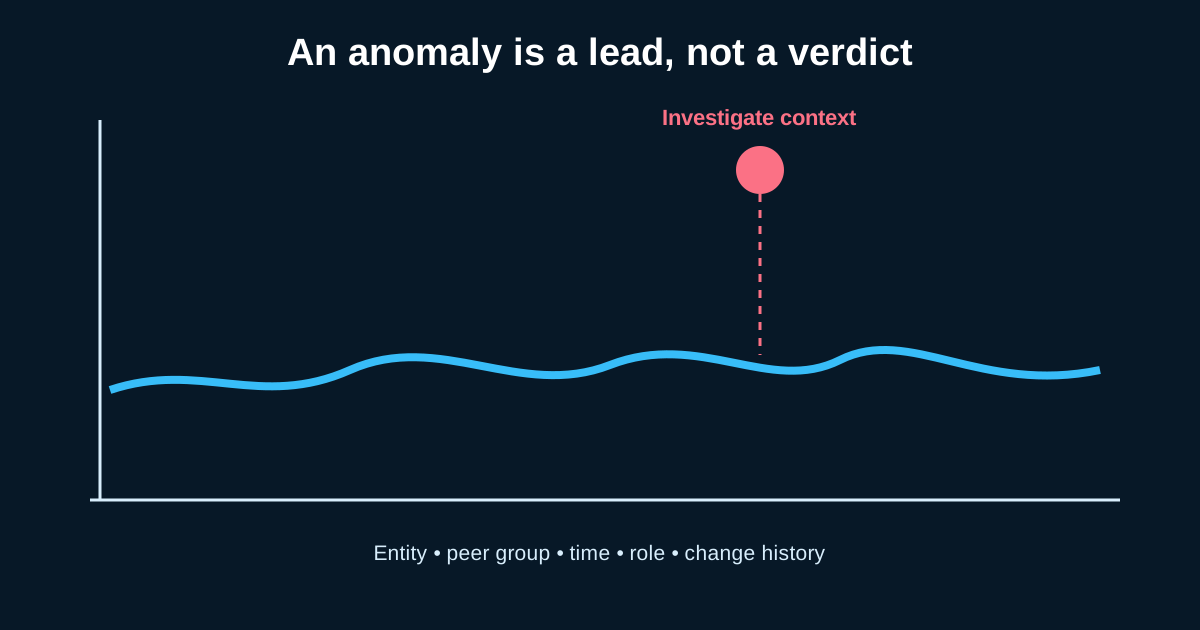
Every intrusion that matters eventually needs to phone home. An attacker can pop a box, drop a payload, even move laterally a bit—but without a working command and control channel, they’re flying blind. That dependency is the crack we exploit as hunters. C2 has to talk, and talking leaves traces, even when it’s dressed up to look like nothing at all.
I’ve spent a lot of hours staring at proxy logs looking for the one host that beacons every 58-62 seconds to a domain registered three weeks ago. It’s tedious work. It’s also where a lot of real detections come from, long before EDR fires an alert.
Why signature-based C2 detection keeps failing you
Most C2 frameworks ship with jitter, domain fronting, and legitimate-looking TLS certs baked in by default. Cobalt Strike’s malleable profiles let operators mimic Slack, jQuery CDN traffic, or Amazon API calls almost perfectly at the packet level. If you’re relying purely on IOC feeds or static signatures, you’re chasing infrastructure that gets burned and rotated faster than your threat intel team can update the block list.
This is why beaconing analysis—not signature matching—is the durable skill here. You’re not looking for “known bad.” You’re looking for behavior that doesn’t fit the shape of normal traffic, regardless of what domain or IP it’s wearing that week.
Beacon timing analysis actually works, but you need the right data
The classic approach: pull outbound connections per source host, bucket them by destination, and calculate the interval between connections. A workstation talking to update.microsoft.com forty times a day with wildly variable intervals is normal. A workstation talking to a random CDN-hosted domain every 65 seconds ± 3 seconds, for six straight hours, is not—even if the payload size looks like an ordinary GET request.
Say you’ve got a mid-size environment with 2,000 endpoints. Realistically you might see 15-20 hosts a day that show some beacon-like periodicity purely from legitimate software—telemetry agents, license checks, backup software pinging a controller. Your job during investigation is separating those from the outlier that’s talking to infrastructure with no reverse DNS, no TLS cert transparency history, and a domain registered through a privacy-protected registrar last month.
Tools like RITA (Real Intelligence Threat Analytics) built specifically for this use Zeek logs to score connections on frequency consistency, data volume regularity, and TLS JA3 fingerprint anomalies. If you don’t have RITA in your stack, you can approximate this with a decent SIEM query and a standard deviation calculation over connection timestamps grouped by src/dst pair. It’s not glamorous SQL, but it’s effective.
JA3/JA3S and process-to-network correlation
Here’s where a lot of hunts stall: you find suspicious beacon-like traffic, but you can’t tie it to a process. This is where EDR telemetry needs to sit next to your network data, not in a separate silo. A JA3 hash tells you the TLS handshake fingerprint of the client—useful for spotting when a “browser” connection wasn’t actually initiated by a browser process. Pair that with Sysmon Event ID 3 (network connection) correlated to the parent process tree, and you can catch a PowerShell process making outbound HTTPS connections that present a JA3 hash matching known post-exploitation frameworks rather than Chrome or Edge.
I’ll be honest—JA3 alone gives you false positives constantly, especially with the rise of encrypted client hello (ECH) and JA4 supplanting some of the old fingerprinting logic. Treat it as one data point in your investigation, not a standalone verdict. The analysis gets stronger when you stack three weak signals (odd JA3, off-hours timing, unusual parent process) rather than betting everything on one strong signal that might not exist.
Named pipes and internal C2 that never touch the internet
Not every callback channel leaves your network. Internal C2 over SMB named pipes—a favorite for lateral movement frameworks—never generates a single external connection. Hunting this requires Sysmon Event ID 17/18 (pipe created/connected) baselined against what’s normal for your environment. Most orgs have a small, predictable set of named pipes in daily use. A new pipe name appearing on twelve hosts simultaneously, especially one with a randomized or oddly generic name, deserves a look regardless of whether anything left the network at all.
This is the piece a lot of C2 hunting guides skip entirely, and it’s exactly the kind of detection gap that lets an intrusion sit undetected for weeks while the attacker moves internally with zero external footprint to flag.
Building the hunt, not just running a query
A one-off query that flags beaconing hosts isn’t a hunt—it’s a filter. The actual hunting workflow means building a hypothesis (“if an attacker has established C2 post-initial-access, I’d expect periodic low-volume outbound connections with process-network mismatch”), pulling the data to test it, documenting what normal looks like in your environment first, and only then chasing the outliers. Skip the baseline step and you’ll spend three days investigating your backup agent.